
Tip: press Ctrl + Enter (Cmd + Enter on Mac) to expand. Add the topic, audience, or purpose for a more relevant result.
Last updated: October 2026
How to Use the Paragraph Expander
You often know what you want to say, but a single sentence does not explain it well enough. This free paragraph expander takes a short sentence or paragraph and develops it into a fuller one, with added explanation, context, and smoother transitions. You choose how much longer it should be and which tone to use, and you can try again, copy the result, or use it as the input for another round.
In short: Use the tool to get a first draft quickly, then make it yours. AI does not know your facts, your sources, or your experience, so the final version should include details that only you can add.
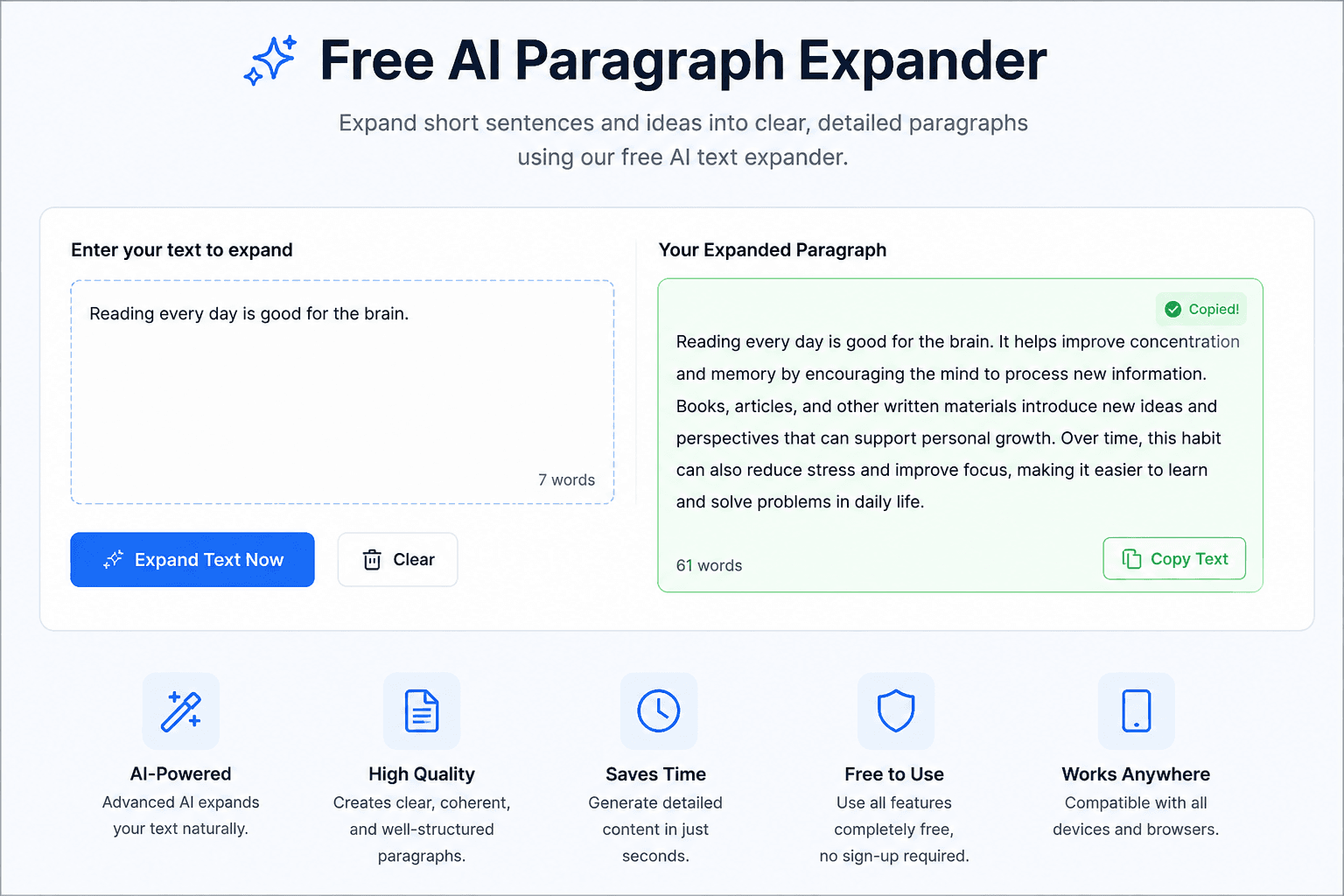
- Enter your text. Type or paste a sentence or short paragraph (up to 1,500 characters).
- Choose the length. Pick slightly longer, moderately longer, or detailed.
- Choose the tone. Neutral, academic, friendly, professional, or persuasive.
- Click “Expand my paragraph.” The result appears with a word count comparison.
- Review and edit. Check facts, add your own examples, and adjust the wording. Use “Try again” for a different version.
Which length option should you choose?
| Option | What you get | Good for |
|---|---|---|
| Slightly longer (about 2x) | One reason or detail added to your sentence. | Product descriptions, captions, short answers, email lines. |
| Moderately longer (about 2-3x) | A complete paragraph with explanation and a supporting point. | Blog sections, essay paragraphs, report summaries. |
| Detailed (about 3-4x) | One or two fuller paragraphs, up to about 250 words. | Turning rough notes into a first draft you will edit heavily. |
What to Type for Better Results
The tool can only develop what you give it. A vague input produces a vague paragraph. Compare these two inputs:
- Vague: Social media is bad.
- Specific: Heavy social media use can disturb sleep in teenagers, especially when phones are used in bed.
The second input has a clear subject, a group of people, and a situation, so the expansion has something real to build on. Add the topic, the audience, or the purpose whenever you can.
How to Expand a Paragraph Yourself (5 Techniques)
Whether or not you use the tool, these five techniques turn a thin sentence into a useful paragraph. Knowing them also helps you judge and edit the AI result.
- Add a reason. Answer “why?” or “because.”
- Add an example. Show the idea in a concrete situation.
- Add a contrast. Explain what happens without it, or how it differs from the alternative.
- Add a consequence. Say what follows from the idea and why the reader should care.
- Define the key term. If a word could confuse your reader, explain it in a clause.
Teachers also use a simple structure called PEEL: Point (your main claim), Evidence (a fact or example), Explanation (why it matters), and Link (a connection to the next idea). A paragraph that covers these four steps rarely feels thin.
Worked example
Starting sentence
Our website loads slowly.
Add a reason
Our website loads slowly because the homepage uses large images that have not been compressed.
Add an example and a consequence
Our website loads slowly because the homepage uses large images that have not been compressed. A single oversized banner can be many times larger than it needs to be, and visitors on mobile connections may leave before the page finishes loading.
Add what to do next (link to the next idea)
Our website loads slowly because the homepage uses large images that have not been compressed. A single oversized banner can be many times larger than it needs to be, and visitors on mobile connections may leave before the page finishes loading. Resizing and compressing the images is usually the fastest fix, so that is the first step we should take.
Example: AI Draft vs. Your Final Version
The best use of an expander is as a draft that you then improve. Here is an illustrative example of that process.
Your idea
Remote work gives employees more flexibility.
Typical AI expansion
Remote work gives employees more flexibility by allowing them to organize their day around their responsibilities instead of a fixed office schedule. This can make it easier to balance work with personal commitments and to work during the hours when they feel most focused.
After your edit
Remote work gives employees more flexibility by allowing them to organize their day around their responsibilities instead of a fixed office schedule. [Add a real example here, such as a team member who shifted their hours to avoid a long commute.] It can also make it easier to work during the hours when they feel most focused, although it works best when teams agree on [your actual rules, such as core hours or response times].
The AI paragraph is correct but general. The edited version contains something only you know, which is what makes writing worth reading. If you have a statistic, include it with its source, and never rely on a number the tool gives you without verifying it.
When Not to Expand Text
- To reach a word count. Longer is not better. Padding makes writing weaker, and search engines say they prefer content written to help people rather than to fill space.
- When the text is already clear. A short, direct sentence is often the best version.
- For medical, legal, or financial claims. Expanded text may add statements that sound right but are not accurate for your situation. Use expert sources instead.
- For graded work without permission. Check your school’s or employer’s rules on AI assistance before submitting AI-assisted text.
Paragraph Expander vs. Other Writing Tools
| Tool | What it does | Use it when |
|---|---|---|
| Paragraph Expander | Develops a short idea into a longer explanation. | You have the point but not the detail. |
| AI Paraphrasing Tool | Rewrites existing text with different wording. | You like the idea but want different phrasing. |
| AI Text Summarizer | Shortens long text. | You need a quick summary of a long piece. |
| Blog Post Outline Generator | Plans the sections of an article. | You are organizing ideas before you write. |
A simple workflow
- Plan the structure with the Blog Post Outline Generator.
- Develop each thin point with the paragraph expander above, then edit it.
- Rework awkward phrasing with the AI Paraphrasing Tool.
- Shorten anything too long with the AI Text Summarizer.
- Write the page’s search snippet with the AI SEO Meta Description Generator.
Limits and Responsible Use
An AI expander works from patterns in language, not from knowledge of your topic or your situation. It can add statements that sound reasonable but are inaccurate, and it can produce wording that is similar to what other people get for similar input. For these reasons:
- Check every factual claim before you publish or submit the text.
- Do not assume the output is unique. If originality matters, edit it substantially and check it with a plagiarism checker.
- Do not paste confidential or personal information into any online tool.
- Add your own experience, examples, and sources.
For more help with building strong paragraphs, see the Purdue OWL guide to paragraphs and paragraphing.
Checklist Before You Use the Result
- Does the paragraph still say what you meant?
- Are all facts, names, and numbers correct and, where needed, sourced?
- Have you added at least one detail that only you could provide?
- Did you remove filler sentences that say nothing new?
- Does it sound like you, and does it fit your audience?
Frequently Asked Questions
What is a paragraph expander?
It is a writing tool that develops a short sentence or idea into a longer paragraph by adding explanation, context, and examples. Treat the output as a draft to edit.
Is the paragraph expander free?
Yes. You can use it without paying and without creating an account.
How much text can I enter?
Up to 1,500 characters at a time, which is roughly 200 to 250 words. For longer content, expand it section by section.
Can I use it for essays?
You can use it to brainstorm and draft, but you should rewrite the result in your own words, add sources where required, and follow your institution’s rules about AI assistance.
Does it work in languages other than English?
The tool is designed to reply in the language you write in. Results are usually strongest in English, so review text in other languages carefully.
Is the generated text plagiarism-free?
There is no guarantee. AI output can resemble existing text. Edit it substantially and use a plagiarism checker if originality is important.
What is the difference between a paragraph expander and a paraphrasing tool?
An expander adds explanation and detail to make text longer. A paraphrasing tool rewrites text with different wording and usually keeps the length similar.
Should I publish the result without editing it?
No. Review the facts, add your own insight, and make sure the text is useful to your readers before you publish.